Agent Desktop
Agent desktop software: one tab for the whole shift
A WebRTC softphone, an omnichannel inbox, the customer's history with recording playback, the script, the disposition and the callback, on one screen in the agent's own language. It installs as an app and it will not reload while a customer is talking.
14-day free trial · free AI credit to try the AI voice agent · no card needed
Quick answer
What you get
Everything in one workspace
WebRTC softphone
A softphone in the browser tab: dial pad, DTMF tones during the call, mute and hold. No desk phone to provision and nothing for the agent to install.
Transfer and conference
Blind transfer when the agent just needs the call gone, attended transfer when the next person needs a handover, transfer presets for the destinations used all day, and conference to add a third party.
Media pre-flight
The desktop checks the microphone, the speakers and the media path before the agent goes ready, so a broken headset is found before a customer is on the line.
Omnichannel inbox
Voice, WhatsApp, SMS and email threads sit in one list beside the call controls, so the agent works a customer rather than a channel.
Disposition cards
Outcomes as cards with keyboard hotkeys, favourites pinned to the front, a search box and a recent list. Wrap-up is a keystroke instead of a hunt through a dropdown.
Callbacks
Schedule the callback from the disposition, at the time the customer asked for, without leaving the call the agent is finishing.
History and recordings
Every earlier contact on the record, with recording playback and the lead timeline, so the agent knows what was already promised before they open their mouth.
Script panel with variables
The script sits beside the call and fills its variables from the record, so the agent reads the customer's own name, balance or appointment rather than a placeholder.
Campaign preview
On a preview campaign the agent sees the record before the dial goes out and decides whether to call it.
States and a supervisor button
Agent states for ready, break, wrap-up and the rest, plus a button that puts the agent in the supervisor request queue when they need help on a live call.
Installs as an app, updates safely
The desktop installs as a PWA and takes updates safely: a new version never reloads the page in the middle of a call.
Screen capture with consent
Screen capture for supervision is behind a consent toggle the agent can see, so monitoring is a setting rather than a rumour on the floor.
The call itself
Every control the agent needs, without a second window
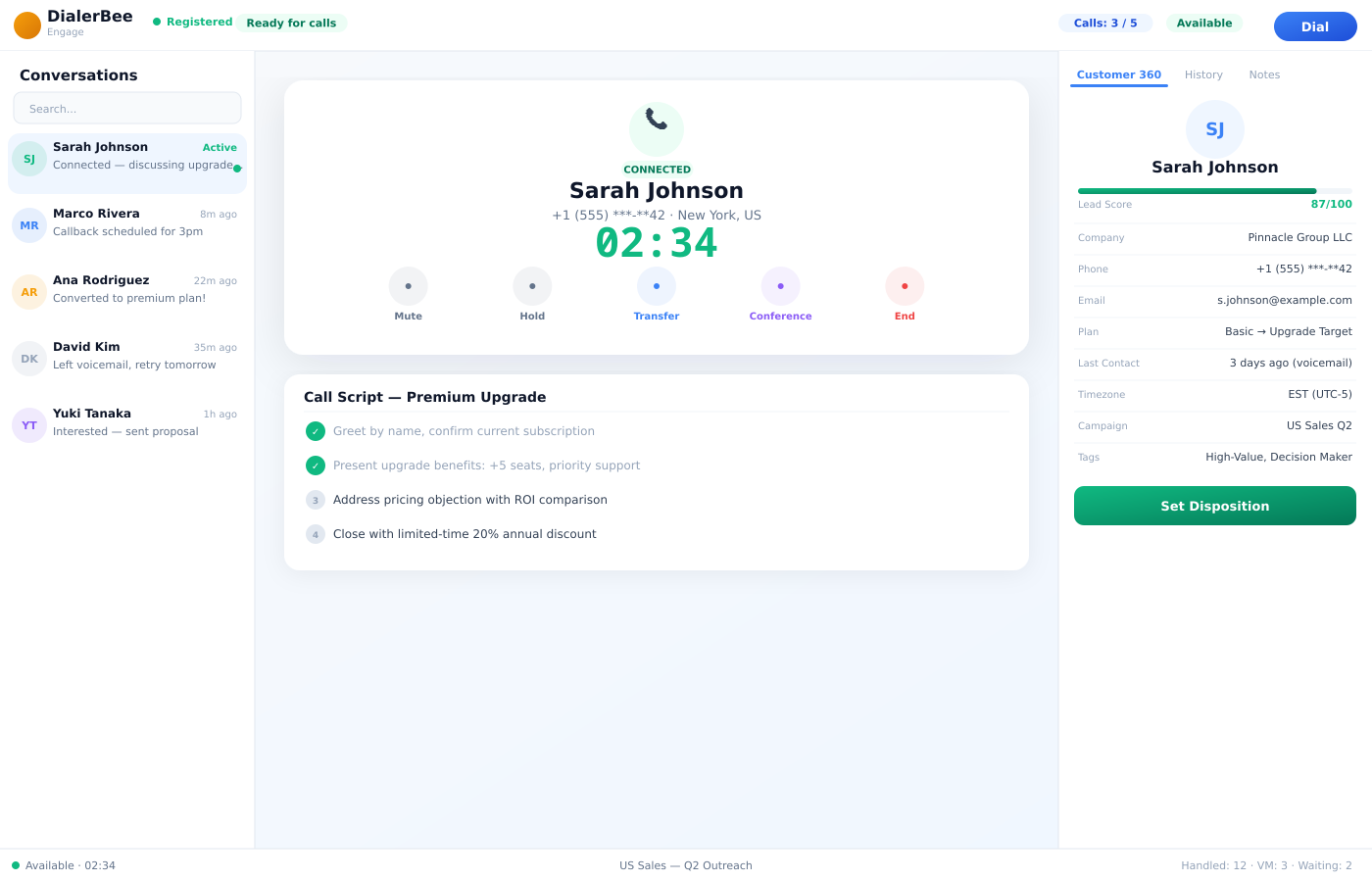
The softphone, the script, the customer record and the outcome are on one screen. The agent dials, hears DTMF go through, mutes, holds, transfers blind or attended, or pulls a third party into a conference, all from the same tab.
The script panel fills its variables from the record in front of the agent, so what they read is the customer's own detail. When the call ends, the disposition is a card with a hotkey and the callback is scheduled from the same panel.
- Dial pad, DTMF, mute and hold on a WebRTC softphone in the browser
- Blind transfer, attended transfer, transfer presets and conference
- Script panel with variables filled from the record
- Disposition cards with hotkeys, favourites, search and a recent list, and callbacks scheduled from the same panel
Context
The agent knows what was said last time
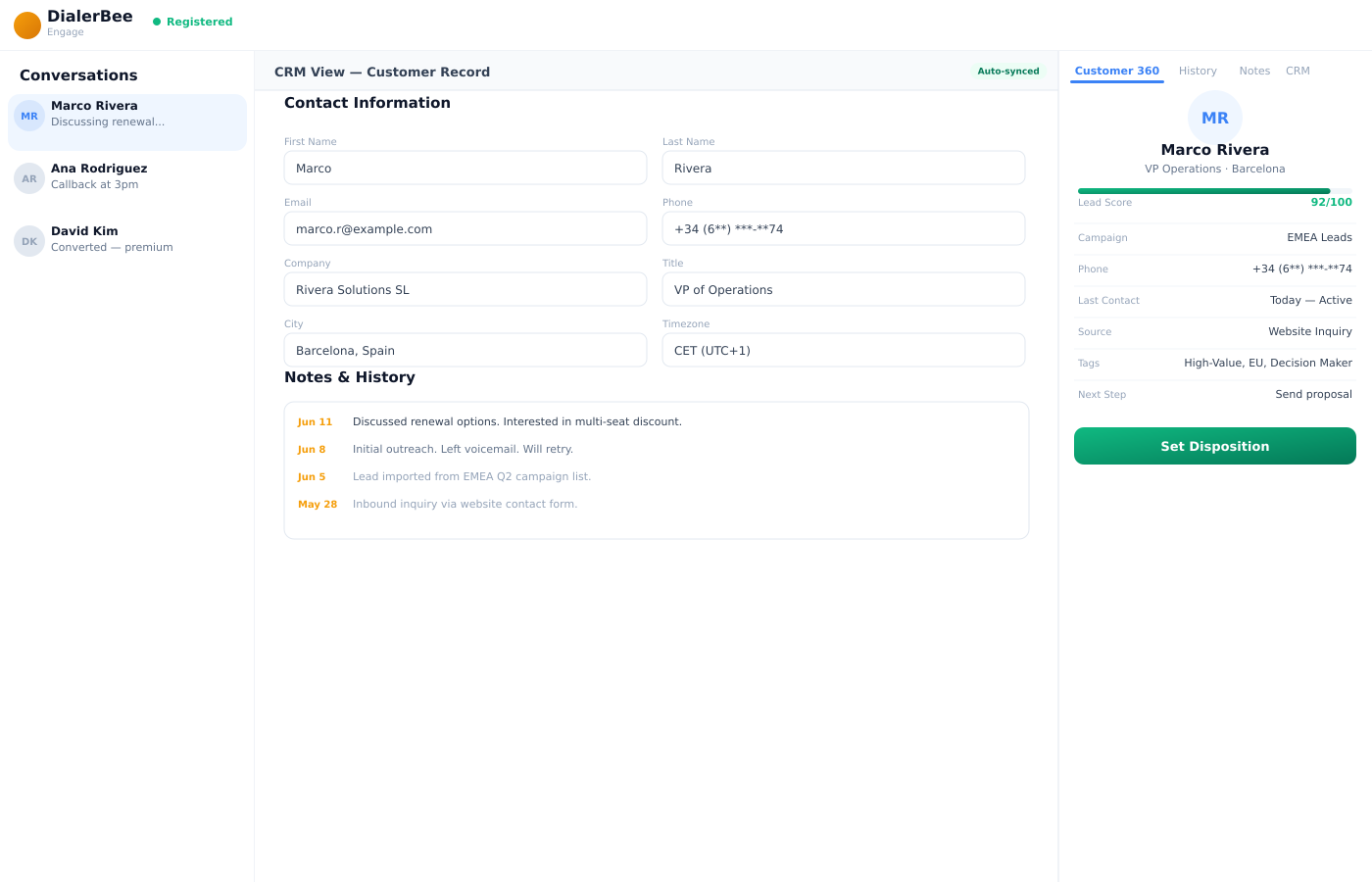
A customer who has called three times does not want to explain it a fourth. The desktop puts the history on the record: earlier contacts, the lead timeline, and the recordings themselves with playback.
On a preview campaign the agent sees the record before the dial goes out, so they walk into the call already knowing who they are calling and why.
- History on the record with the lead timeline
- Recording playback from inside the desktop
- Campaign preview shows the record before the dial
- Voice, WhatsApp, SMS and email threads for the same customer in one inbox
The floor
Nothing that reloads in the middle of a call
Contact center software fails in ordinary ways. A headset that was never plugged in. A deploy that refreshes the page while a customer is talking. The desktop is built against both.
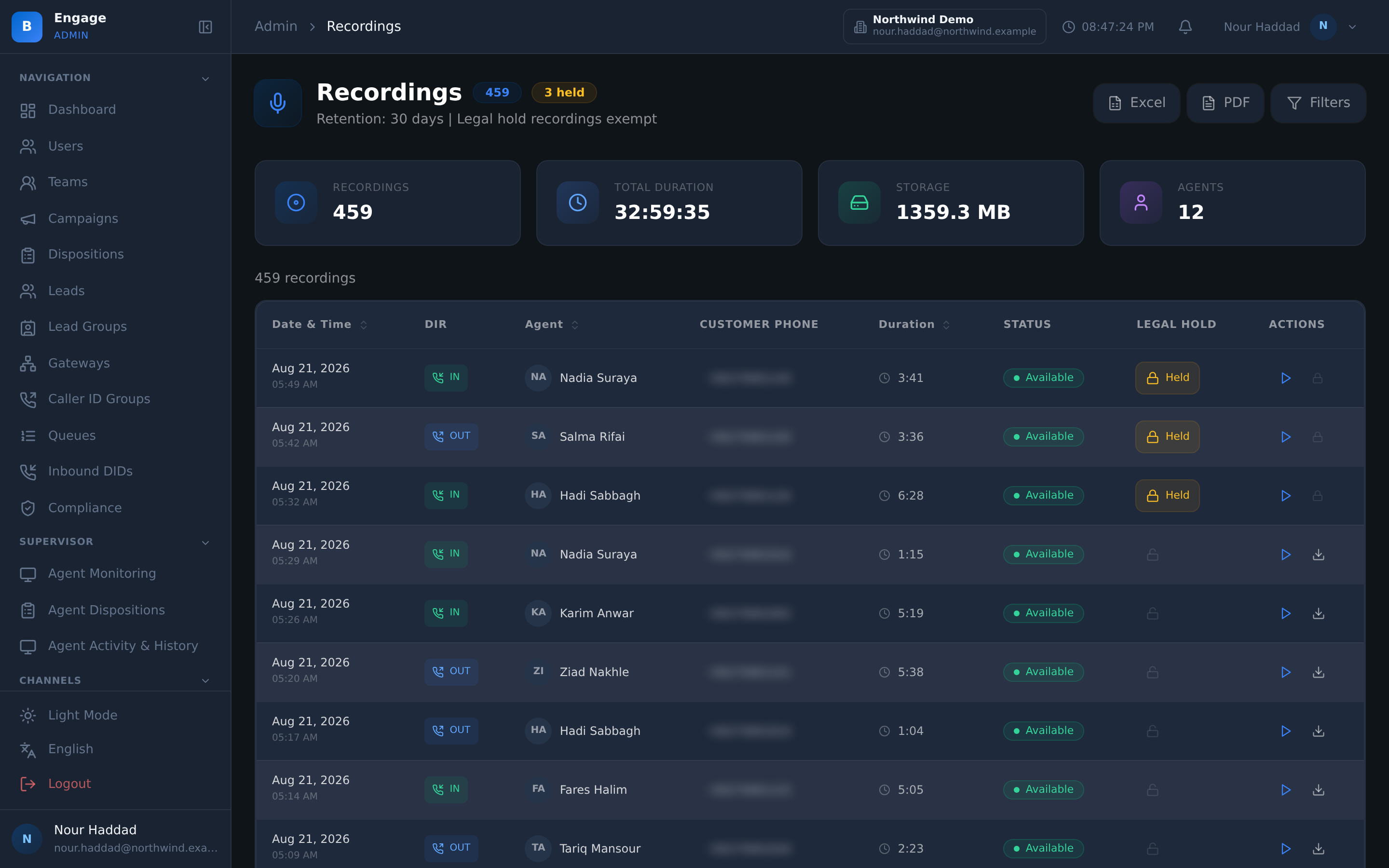
Media pre-flight checks the microphone, the speakers and the media path before the agent goes ready. The desktop installs as a PWA and takes updates safely, so a new version waits for the call to end. Agents handle inbound queues and outbound campaigns from one desktop; automatic blending is available, switched on by each company's admin. It is the agent-facing half of DialerBee's virtual call center software.
- Media pre-flight before the agent goes ready
- PWA install, and updates that never reload the page mid-call
- Agent states, and a supervisor request button on a live call
- Screen capture for supervision behind a visible consent toggle
- 11 languages, with the whole desktop mirrored for right-to-left
How it compares
| A softphone plus a CRM tab | The DialerBee agent desktop | |
|---|---|---|
| Getting an agent working | Install a softphone, provision SIP credentials, hope the headset works | Open the browser, run media pre-flight, go ready |
| Recording an outcome | A dropdown the agent scrolls every time | Disposition cards with hotkeys, favourites, search and recent |
| Context on the call | Alt-tab to another system | History, lead timeline and recording playback on the record |
| Transfers | One kind of transfer, dialled by hand | Blind, attended, presets and conference |
| A deploy during a shift | The page refreshes while a customer is talking | Updates apply safely and never reload mid-call |
| Arabic and Urdu agents | An English screen with translated labels | 11 languages with the layout mirrored for right-to-left |
Frequently asked questions
What is the DialerBee agent desktop?+
It is the browser workspace an agent spends the shift in. A WebRTC softphone with a dial pad, DTMF, mute and hold; transfer and conference controls; an omnichannel inbox carrying voice, WhatsApp, SMS and email threads; the customer record with history and recording playback; the script; and the disposition and callback panel. It is one tab, not a stack of applications.
Do agents have to install anything?+
No desk phone and no softphone application. The desktop runs in the browser and can be installed as a PWA if the agent prefers it in its own window. Updates are applied safely: a new version will not reload the page in the middle of a call.
What happens before an agent goes ready?+
Media pre-flight runs. The desktop checks the microphone, the speakers and the media path, so a headset that is not plugged in is found before a customer is on the line rather than thirty seconds into the first call.
How do transfers and conferences work?+
Blind transfer hands the call straight on. Attended transfer lets the agent speak to the destination first and introduce the customer. Transfer presets hold the destinations the team uses all day so they are one click rather than a dialled number. Conference brings a third party onto the live call.
How does an agent record the outcome of a call?+
Dispositions are cards rather than a dropdown. Each has a keyboard hotkey, the ones a team uses most can be pinned as favourites, and there is a search box and a recent list for the long tail. A callback can be scheduled from the same panel at the time the customer asked for.
Can an agent see what happened on earlier calls?+
Yes. The record carries the history and the lead timeline, and recordings can be played back from inside the desktop. On a preview campaign the agent also sees the record before the dial goes out, so they choose to make the call with the context already in front of them.
Does the desktop work in Arabic?+
Yes. The agent desktop runs in 11 languages and mirrors the whole layout for right-to-left, so Arabic and Urdu agents get a screen built for the direction they read in rather than an English layout with translated labels. Agents on the same team can each pick their own language.
Can one agent take inbound queue calls and outbound campaign calls?+
Agents handle inbound queues and outbound campaigns from one desktop; automatic blending is available, switched on by each company's admin. Agent states control what an agent is offered, and a supervisor request button puts the agent in the supervisor queue when a live call needs help.
Put an agent on a real call in a demo tenant
A 30-minute walkthrough on a demo tenant, in English or Arabic.