Solution
Customer service call center: answers, resolves and follows up
Queues with real SLA targets, an IVR that lets callers finish things themselves, one inbox for voice, WhatsApp, SMS and email, help for the agent while the call is live, and a survey afterwards that turns a bad score into a case with a name on it.
14-day free trial · free AI credit to try the AI voice agent · no card needed
Quick answer
What you get
Everything in one workspace
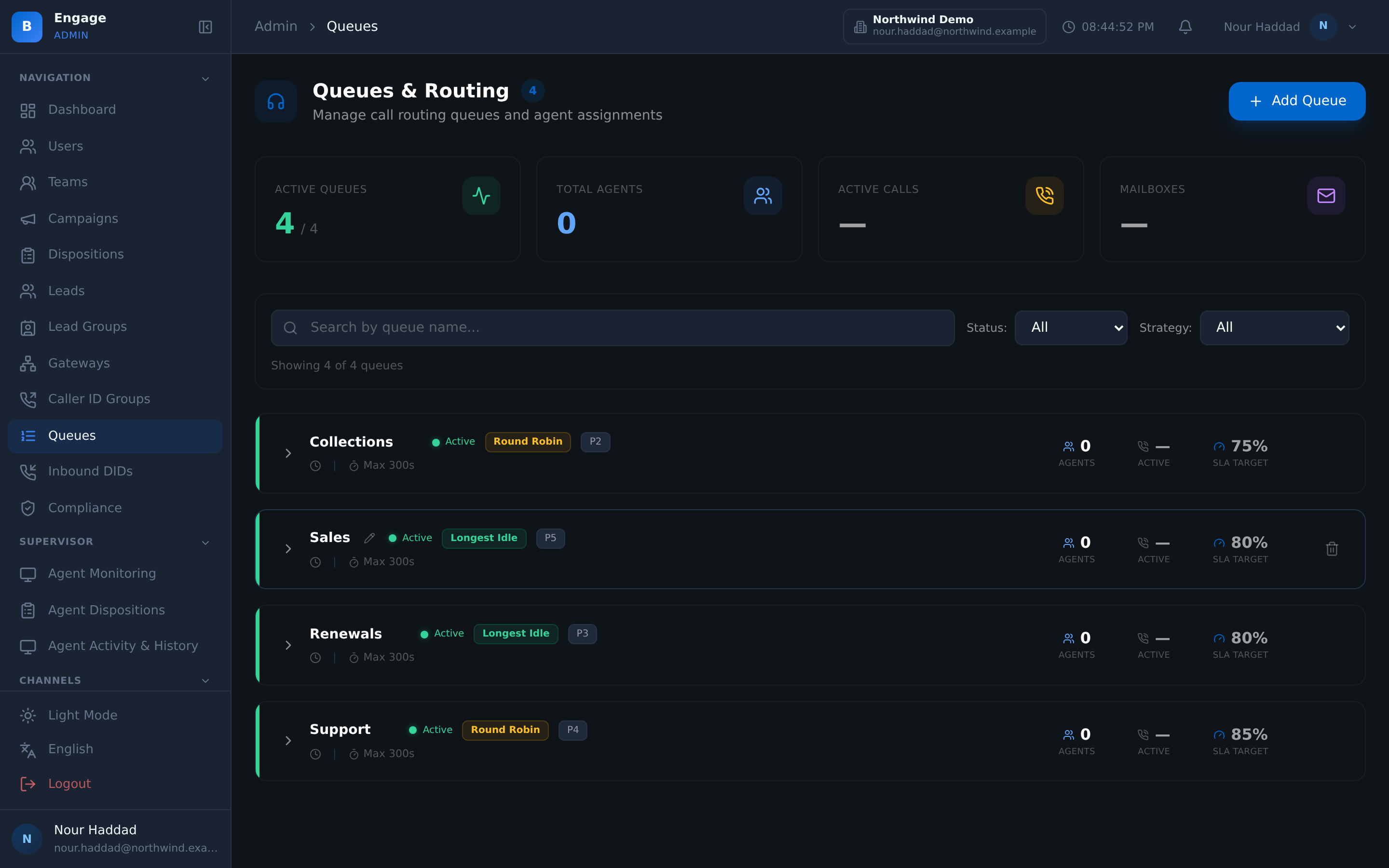
ACD queues
Each queue picks the next agent by FIFO, round-robin or longest-idle, with its own priority, max wait, wrap-up seconds and recording mode.
SLA target and threshold
Every queue carries the answer target it is measured against and the threshold that counts as a breach, so service level is a setting rather than an opinion.
Position and estimated wait
Callers can hear where they are in the queue and how long it is likely to be, with music on hold in between. People wait longer when they know.
DID routing
Route each number to a queue, a user, an IVR flow, a campaign or an AI voice agent, in bulk when a batch of numbers arrives, with CSV export of the inventory.
IVR self-service
The IVR builder covers caller self-service: check or manage a booking, request a callback, hear queue status, choose a language, CRM lookup mid-call.
Business hours and after-hours
Business-hours and holiday calendars per tenant, enforced by schedule gates, with a text-to-speech after-hours message and an SMS fallback template.
One conversation list
Voice, WhatsApp, SMS and email threads in the same inbox, each new, queued, assigned, in progress or waiting on customer, assigned to an agent or a queue.
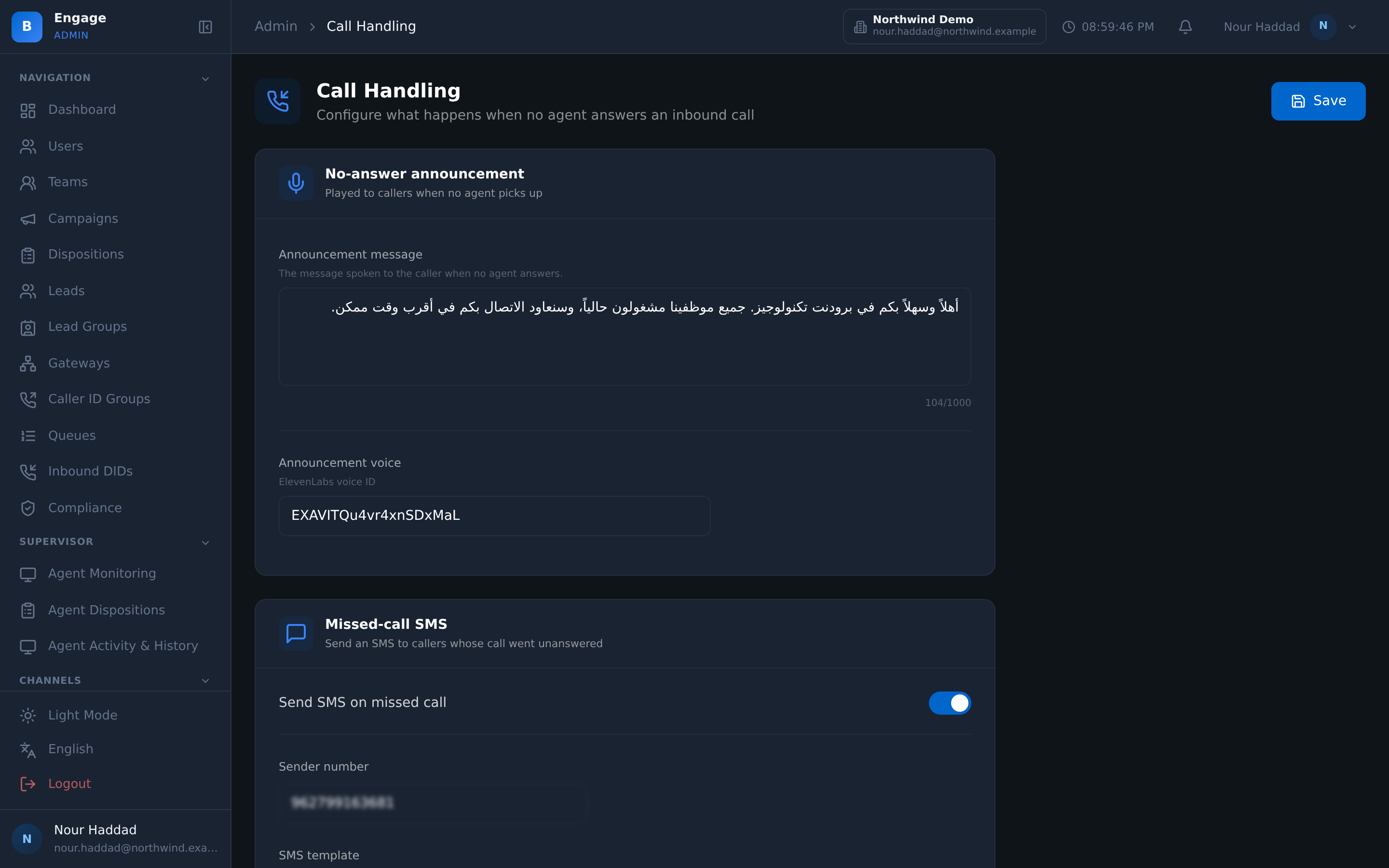
Customer 360 on the pop
The record opens with the call: profile, history, notes and a CRM tab, keyed on the number, with BroadNet CRM enrich, contact create and disposition push.
Live agent assist
A summary that builds during the call, Arabic-aware live sentiment, a suggested response the agent can edit or ignore, and a suggested disposition they confirm.
Surveys with recovery cases
CSAT and NPS asked by voice IVR, AI voice, WhatsApp, SMS or a short link, and detractors routed to a queue as cases with a name and an outcome.
Wallboard and reports
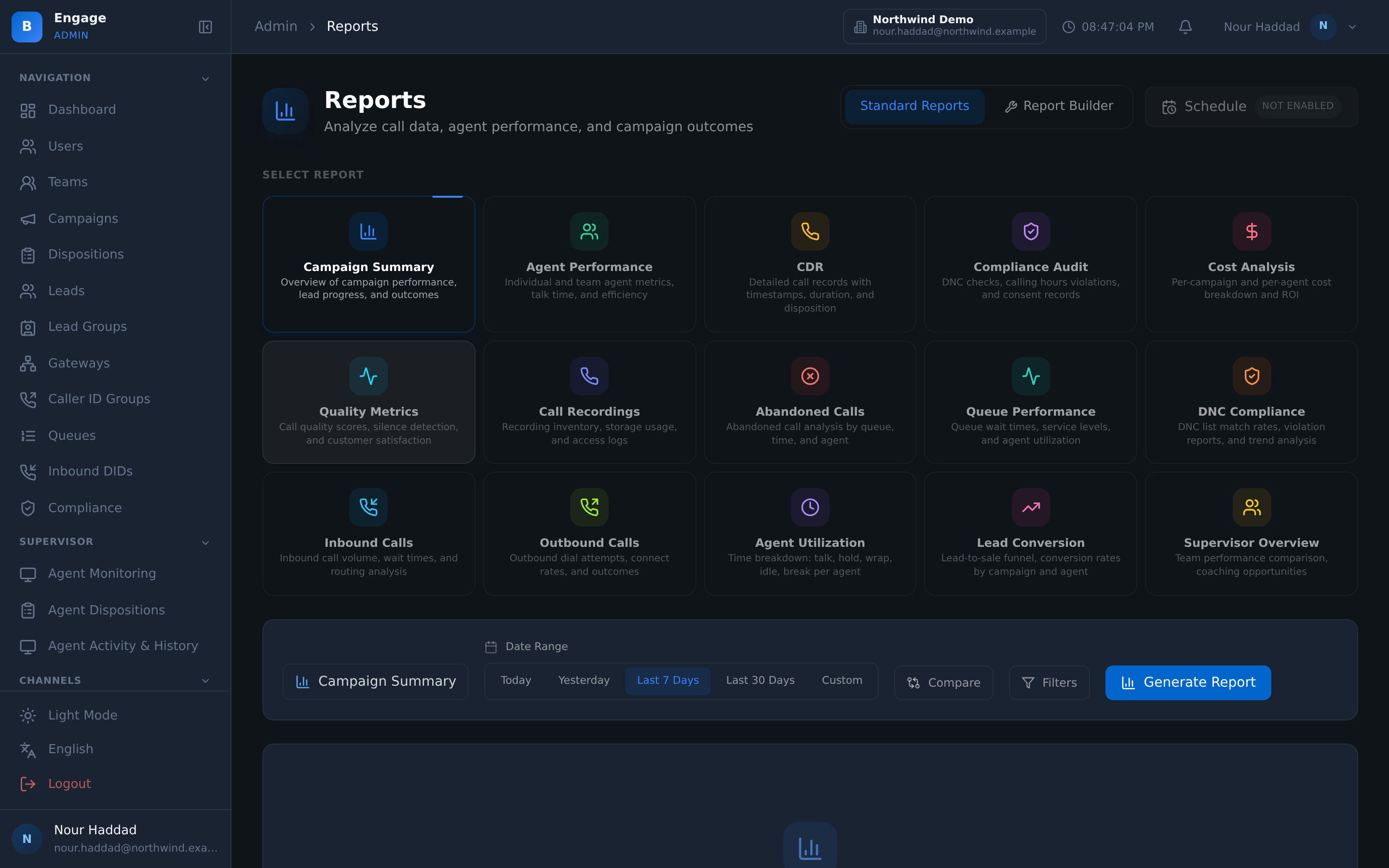
Queue depth and agent states live on the wallboard, then queue performance, inbound call, agent activity and service-level reports behind it.
Listen, whisper, barge
A supervisor can listen to an inbound call, whisper to the agent, barge in, or force a logout, while coaching rules surface prompts during the shift.
The queue
Service level is a setting, not a hope
Support starts with queues that behave. Each one picks the next agent by FIFO, round-robin or longest-idle, and carries its own priority, max wait, wrap-up time and recording mode, so a billing queue and a complaints queue do not have to be run the same way. Skills-based routing is also available, enabled per queue.
Every queue also carries an SLA target and the threshold that counts as a breach. That is what turns service level into something the wallboard can show live and the queue performance report can settle afterwards.
- FIFO, round-robin and longest-idle routing, plus skills-based routing enabled per queue.
- Priority, max wait, wrap-up seconds and recording mode set per queue
- SLA target and breach threshold per queue, live on the wallboard
- Position and estimated wait announced to the caller, with music on hold
Before an agent is needed
The calls that never needed a person
A large share of support contacts are a customer checking or changing something they could have handled themselves. The IVR builder has nodes for exactly those: check a booking, manage a booking, request a callback and keep your place, hear queue status, choose a language, or have the CRM looked up mid-call.
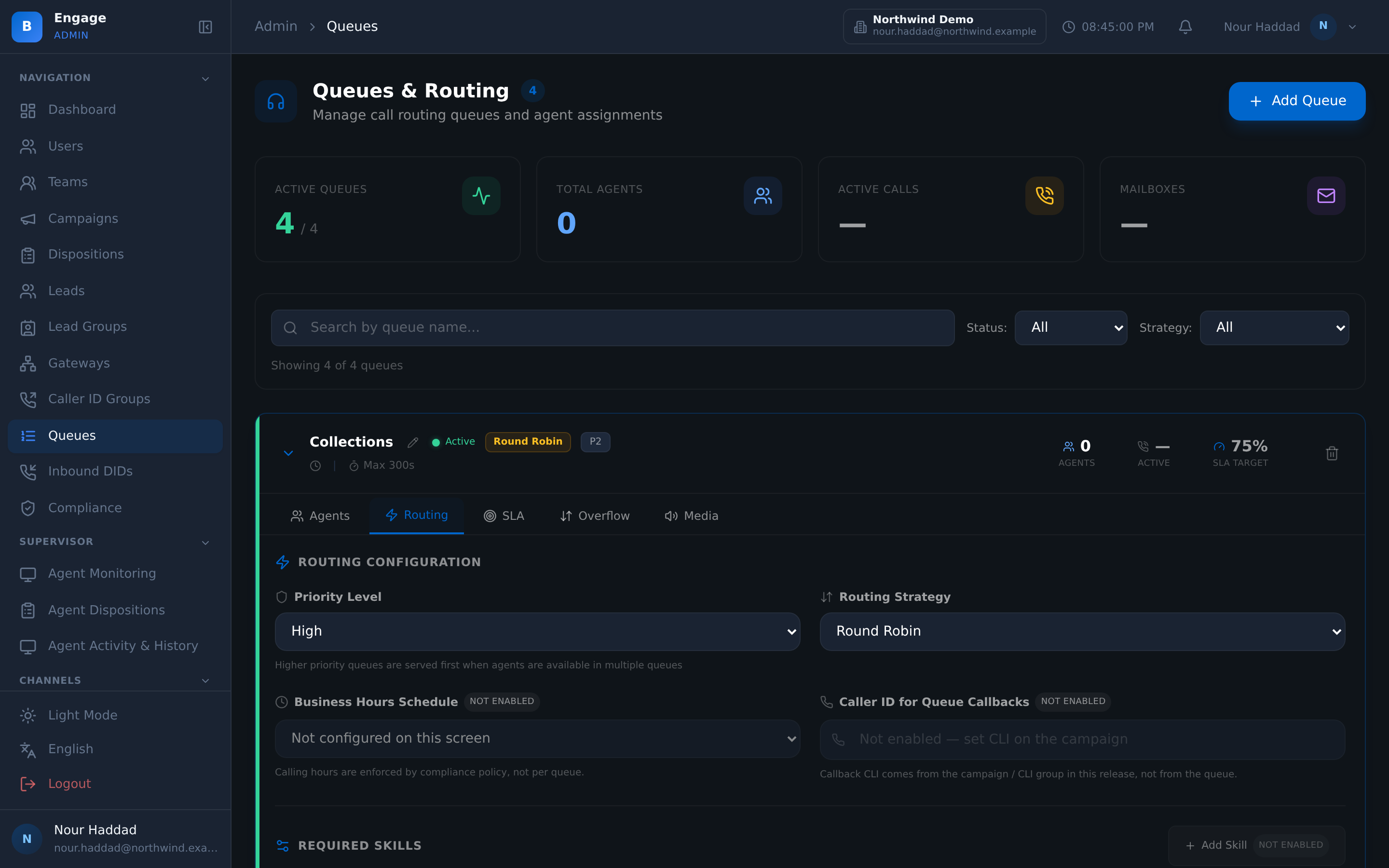
Out of hours the same flows still answer. Business-hours and holiday calendars are set per tenant and enforced by schedule gates, and the caller hears a text-to-speech message in the voice you chose, with an SMS fallback template so they know they were heard.
- Caller self-service nodes for bookings, callbacks, queue status and language choice
- CRM lookup during the call, so the flow knows who is calling
- Business-hours and holiday calendars per tenant, enforced by schedule gates
- After-hours text-to-speech message with a chosen voice, plus an SMS fallback template
One inbox
Work the customer, not the channel
Voice, WhatsApp, SMS and email threads sit in one conversation list. Each conversation is new, queued, assigned, in progress or waiting on customer, and belongs either to a named agent or back to a queue, so nothing sits in a thread nobody owns. Inbound email into the inbox is available from each company's own connected mailbox.
The customer record opens with the call. Customer 360 is keyed on the phone number, with profile, history, notes and a CRM tab, and BroadNet CRM enrich, contact create and disposition push behind it. Agents handle inbound queues and outbound campaigns from one desktop; automatic blending is available, switched on by each company's admin.
- Voice, WhatsApp, SMS and email in one conversation list with visible states
- Screen-pop with Customer 360 by phone number, and a tenant webform in an iframe
- Live summary, Arabic-aware sentiment, suggested response and suggested disposition
- Transcripts redacted, searchable, retained on your policy, with legal hold and export
Afterwards
A bad score becomes a case with a name on it
The survey is the part most support operations do badly. In DialerBee a published survey can be asked by voice IVR, by the AI voice runtime, over WhatsApp, over SMS or on a web page behind a short link, and the published version is locked, so this quarter's CSAT means what last quarter's meant.
Then the detractors and low scores are routed to a queue as recovery cases, assigned to a person and closed with an outcome. Alongside them sit the reports: queue performance, inbound calls, agent activity and the insights centre, with exports in CSV, Excel and PDF that keep Arabic readable.
- CSAT, NPS, yes/no, consent and open text, asked on five channels
- Detractors routed to a queue as cases, assigned and closed with an outcome
- Analytics that state their denominators, plus scheduled daily, weekly or monthly reports
- Agent activity and utilisation reports today, plus workforce management with shifts, time-off, adherence, forecasting and scheduling.
How it compares
| Support stitched from separate tools | DialerBee customer service | |
|---|---|---|
| Where the channels live | A phone system, a chat tool and a shared mailbox, each with its own history | Voice, WhatsApp, SMS and email in one conversation list with shared states and assignment |
| What the agent sees on an inbound call | A number, then a search in another window | A screen-pop with Customer 360 by phone number: profile, history, notes and a CRM tab |
| Service level | Counted afterwards from an export | An SLA target and breach threshold on every queue, live on the wallboard |
| Out of hours | The call rings out | Schedule gates on business hours and holidays, a text-to-speech message in your voice, and an SMS fallback template |
| What happens to a bad score | A row in a spreadsheet | A recovery case in a queue, assigned to a person and closed with an outcome |
| Languages | Whatever the phone system's prompts support | 11 languages across the platform, Arabic dialect-aware, with Arabic that survives the export |
Frequently asked questions
What is the DialerBee customer service solution?+
It is the inbound side of the platform assembled for a support operation: ACD queues with SLA targets, an IVR builder with caller self-service, an omnichannel inbox covering voice, WhatsApp, SMS and email, live agent assist during the call, surveys with recovery cases afterwards, and the wallboard and reports over all of it.
How are calls routed to agents?+
FIFO, round-robin and longest-idle routing, plus skills-based routing enabled per queue. Each queue also has its own priority, max wait, wrap-up seconds and recording mode, so different queues can behave differently without a separate system.
Can we run support and outbound campaigns with the same team?+
Agents handle inbound queues and outbound campaigns from one desktop; automatic blending is available, switched on by each company's admin. That means the same agent, the same reports and the same compliance controls, with the mix decided by supervisors rather than by an algorithm.
Which channels are in the inbox?+
Voice, WhatsApp, SMS and email threads in one conversation list, each in a visible state and assigned to an agent or a queue. Email is sent from your own per-tenant SMTP. Inbound email into the inbox is available from each company's own connected mailbox.
What does the agent get help with during the call?+
A summary that builds while the call is running, live sentiment that is Arabic-aware, a suggested response the agent can use, edit or ignore, and a suggested disposition they confirm. Transcription runs on demand, and transcripts are redacted, searchable and retained on your policy.
What happens outside business hours?+
Business-hours and holiday calendars are set per tenant and enforced by schedule gates. Outside them the caller hears a text-to-speech message in a voice you chose and previewed, and an SMS fallback template goes out, so a closed office is not a ring-out.
How do we measure the service we are giving?+
Queue depth, queue stats and agent states are live on the wallboard, and behind it sit queue performance, inbound call, agent activity and service-level reports, plus the insights centre. Exports come as CSV, Excel or a PDF with your tenant branding, with Arabic rendered correctly.
Does the survey do anything beyond producing a number?+
Yes. Detractors and low scores are routed to a queue as recovery cases, each assigned to a person and closed with a recorded outcome, so a bad score produces a follow-up you can audit rather than only a chart.
See your own support flow on a demo tenant
A 30-minute walkthrough on a demo tenant, in English or Arabic.