Inbound contact center
Inbound call center software: routed the way you decide
ACD queues with their own routing strategy, SLA target and wrap-up time. A DID inventory where each number points at a queue, a user, an IVR flow, a campaign or an AI voice agent. And a plan for the calls that arrive when you are closed.
14-day free trial · free AI credit to try the AI voice agent · no card needed
Quick answer
What you get
Everything in one workspace
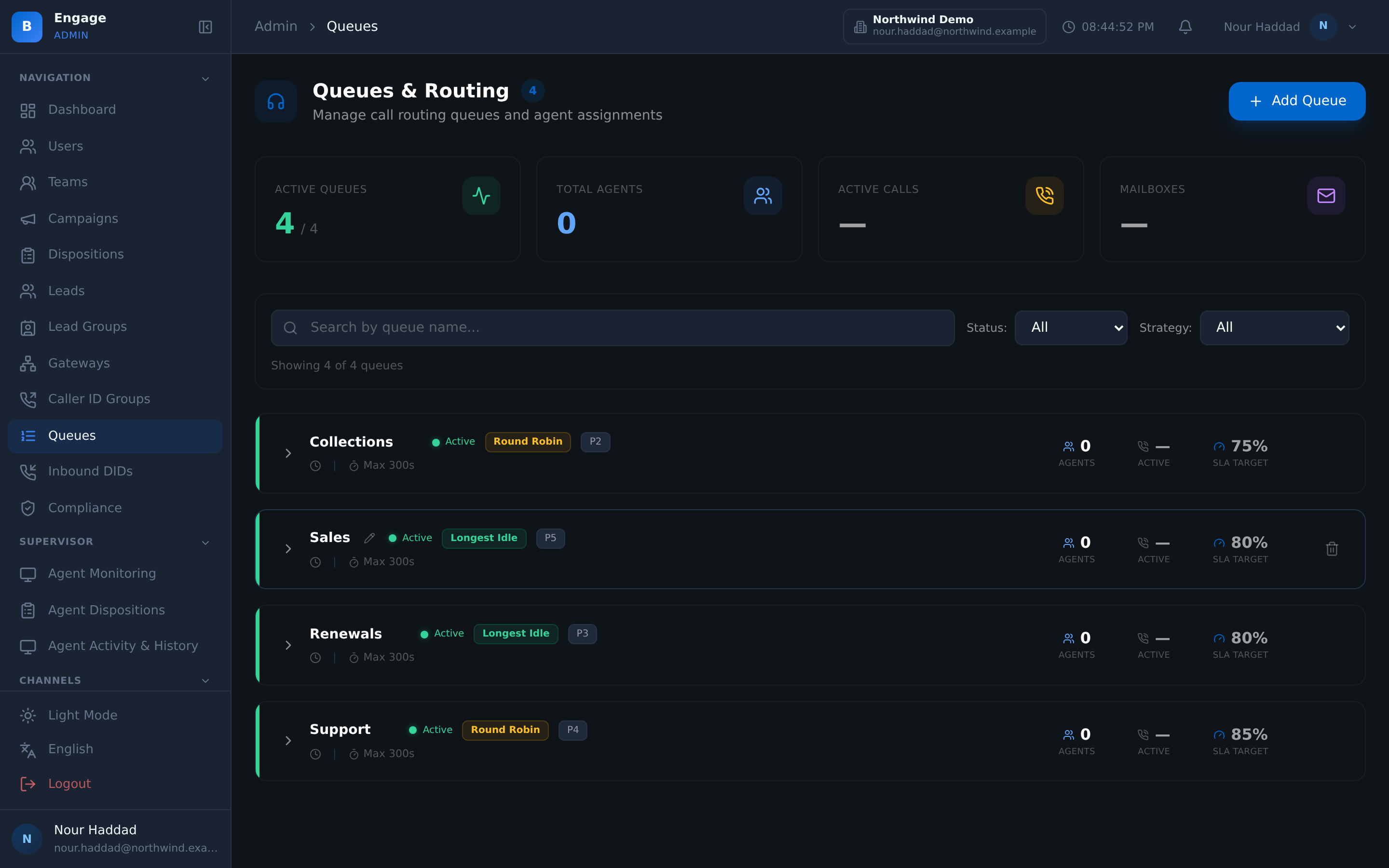
ACD queues
Each queue picks the next agent by FIFO, round-robin or longest-idle, and carries its own priority so the queue that matters most is served first.
Rules set per queue
Max wait, wrap-up seconds and recording mode belong to the queue, not to the whole tenant, so a collections queue and a support queue can behave differently.
SLA target and threshold
Give every queue the answer target it is measured against, and the threshold that counts as a breach.
Position and wait announcements
Callers can hear their position in the queue and their estimated wait, with music on hold in between.
Hold audio you generate
Hold audio is generated by text to speech for your tenant. Choose the voice, preview it before it goes live, or upload your own file instead.
DID inventory
Route each number to a queue, a user, an IVR flow, a campaign or an AI voice agent. Change numbers in bulk and export the whole inventory to CSV.
After-hours and no-agent handling
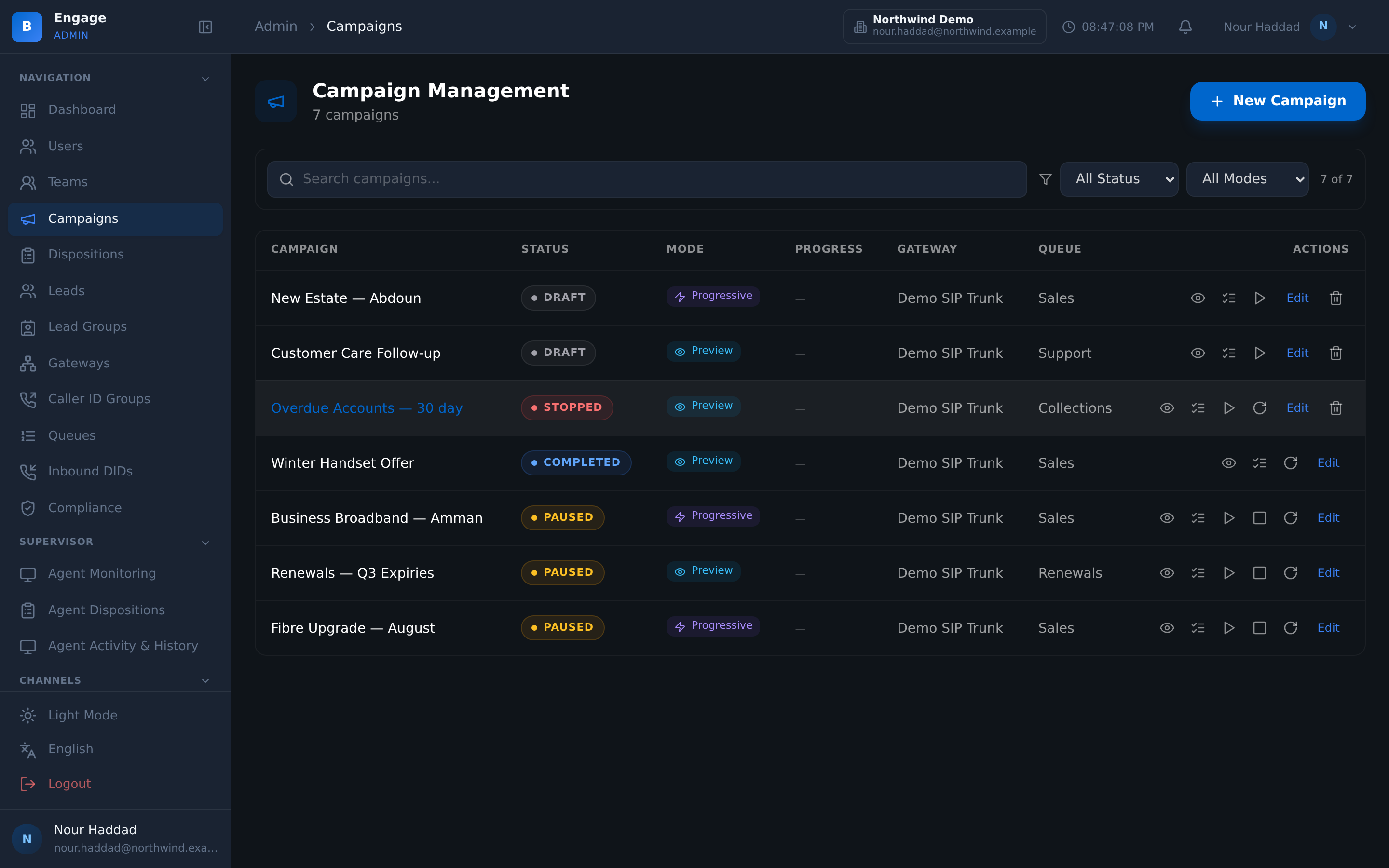
When you are closed, or nobody is free, the caller hears a text-to-speech message in the voice you pick, and an SMS fallback template goes out.
Business hours and holidays
Business-hours and holiday calendars are set per tenant and enforced by schedule gates, so a public holiday does not need anyone to remember it.
Wallboard and inbound reports
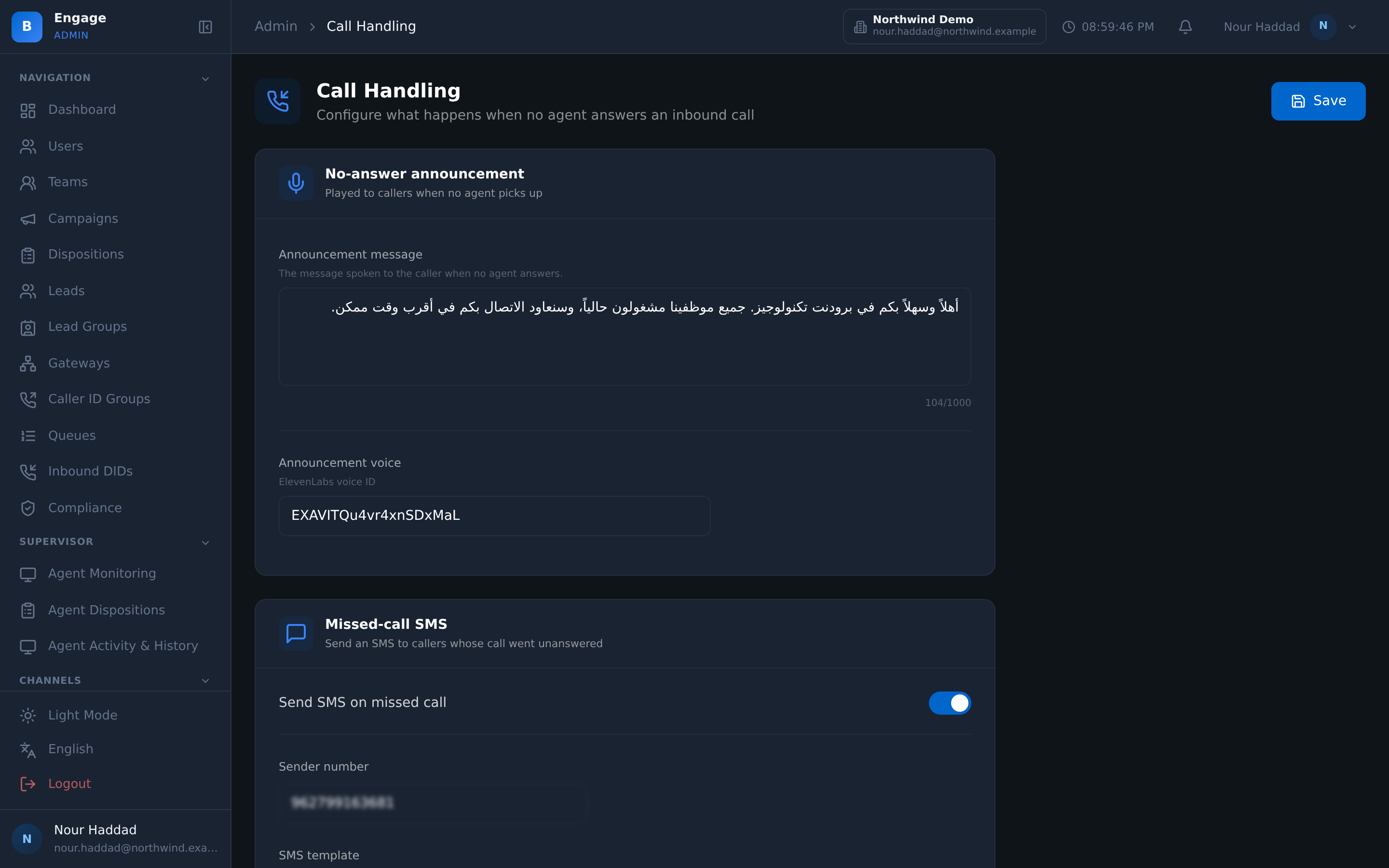
Queue depth and queue stats are live on the wallboard, with queue performance and inbound call reports behind them.
Agent states
Ready, Break, Manual, Callback and Meeting, and you decide which states a queue is allowed to route to.
Supervisor listen, whisper, barge
A supervisor can listen to an inbound call, whisper to the agent, barge into the call, or force an agent to log out.
Inbound and outbound in one place
Agents handle inbound queues and outbound campaigns from one desktop; automatic blending is available, switched on by each company's admin.
DID inventory
Every number knows where it goes
Your inbound numbers live in one inventory, and each one has a routing target you choose: a queue, a named user, an IVR flow, an outbound campaign, or an AI voice agent.
Numbers arrive in batches, so they can be changed in batches. Select a range, set the target once, and export the inventory to CSV when someone asks what each number does. This ACD and routing layer is one part of DialerBee's virtual call center software.
- Route a number to a queue, a user, an IVR flow, a campaign or an AI voice agent
- Bulk update a selection of numbers instead of one at a time
- CSV export of the full inventory
- Pointing a number at an AI voice agent is the same action as pointing it at a queue
Call handling
What happens when you are closed
Out-of-hours calls are the ones that quietly cost you customers. DialerBee answers them with your own message instead of a ring-out, in a voice you chose and previewed.
The same handling covers the hours you are open but nobody is free, and an SMS fallback template lets the caller know they were heard.
- Text-to-speech after-hours message, with the voice chosen per tenant
- SMS fallback template when no agent takes the call
- Business-hours and holiday calendars per tenant, enforced by schedule gates
- Hold audio generated by text to speech, with preview, or upload your own
Live and after the fact
The queue on a wallboard, and in a report
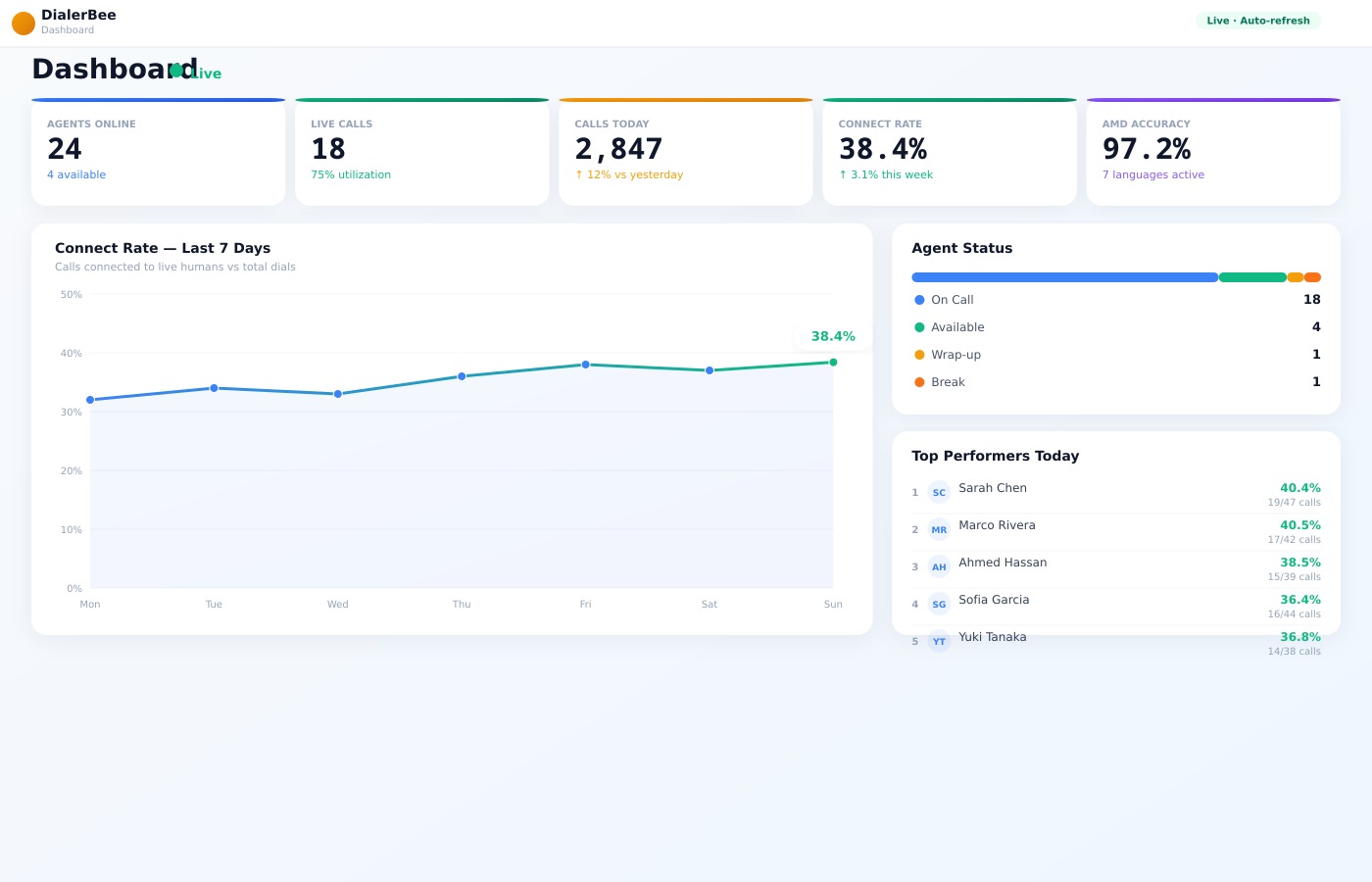
Supervisors watch queue depth and queue stats live on the wallboard, and see which agents are Ready, on Break, in Manual, on a Callback or in a Meeting.
When something needs a person, they listen to the call, whisper to the agent, barge in, or force a logout. Afterwards the queue performance and inbound call reports say what happened.
- Queue depth and queue stats live on the wallboard
- Queue performance and inbound call reports
- Agent states Ready, Break, Manual, Callback and Meeting, with the routable states you opt in
- Listen, whisper, barge and force logout on inbound calls
How it compares
| Traditional PBX queue | DialerBee inbound | |
|---|---|---|
| Routing | A ring group or a hunt list, in the order the PBX was configured | FIFO, round-robin or longest-idle per queue, with its own priority, max wait and wrap-up seconds |
| DID routing targets | The number points at an extension or a ring group | A queue, a user, an IVR flow, a campaign or an AI voice agent, changed in bulk and exported to CSV |
| After hours | A voicemail box, or the phone rings out | Your own text-to-speech message in the voice you chose, plus an SMS fallback template, on business-hours and holiday calendars |
| SLA visibility | Whatever the PBX logged, read long after the fact | An SLA target and threshold per queue, queue depth live on the wallboard, and queue performance and inbound call reports |
| AI agent as a routing target | Not a target the PBX understands | Point a number at an AI voice agent the same way you point it at a queue |
Frequently asked questions
How does DialerBee decide which agent gets the next call in a queue?+
Each queue carries its own routing strategy. FIFO, round-robin and longest-idle routing, plus skills-based routing enabled per queue. Alongside the strategy you set a priority for the queue, a max wait, the wrap-up seconds an agent gets after the call, and the recording mode for calls the queue handles.
What can an inbound number point at?+
A queue, a named user, an IVR flow, an outbound campaign, or an AI voice agent. The numbers live in a DID inventory, so you can select a batch and change the target for all of them at once, and export the whole inventory to CSV.
What happens to a call that arrives out of hours, or when no agent is free?+
The caller hears a text-to-speech message in the voice you chose for the tenant, and an SMS fallback template can go out so the caller knows they were heard. Business-hours and holiday calendars are configured per tenant and enforced by schedule gates, so a public holiday is handled without anyone remembering to switch anything.
Can I use my own hold music and announcements?+
Yes. Hold audio is generated by text to speech for your tenant with a voice you choose, and you can preview it before it goes live or upload your own audio file instead. Queues can also announce the caller's position and their estimated wait, with music on hold in between.
How do I see whether a queue is meeting its SLA?+
Every queue has an SLA target and a threshold. Queue depth and queue stats are live on the wallboard while calls are waiting, and the queue performance and inbound call reports cover the period after the fact.
Can supervisors do anything while an inbound call is happening?+
A supervisor can listen to the call, whisper to the agent without the caller hearing, or barge into the call. They can also force an agent to log out. Agent states are Ready, Break, Manual, Callback and Meeting, and you choose which of those states a queue is allowed to route to.
Can the same agents take inbound calls and run outbound campaigns?+
Agents handle inbound queues and outbound campaigns from one desktop; automatic blending is available, switched on by each company's admin. In practice that means an agent works both without switching tools, and you decide how their time is split rather than the platform deciding for them.
See your own numbers routed, on a demo tenant
A 30-minute walkthrough on a demo tenant, in English or Arabic.