Caller-ID Pool Control
Caller-ID pool management: control which number you present.
Caller-ID pools, local-presence selection, rotation rules and per-campaign mapping — so the right number is presented on every dial and your agents stay connected.
14-day free trial · free AI credit to try the AI voice agent · no card needed
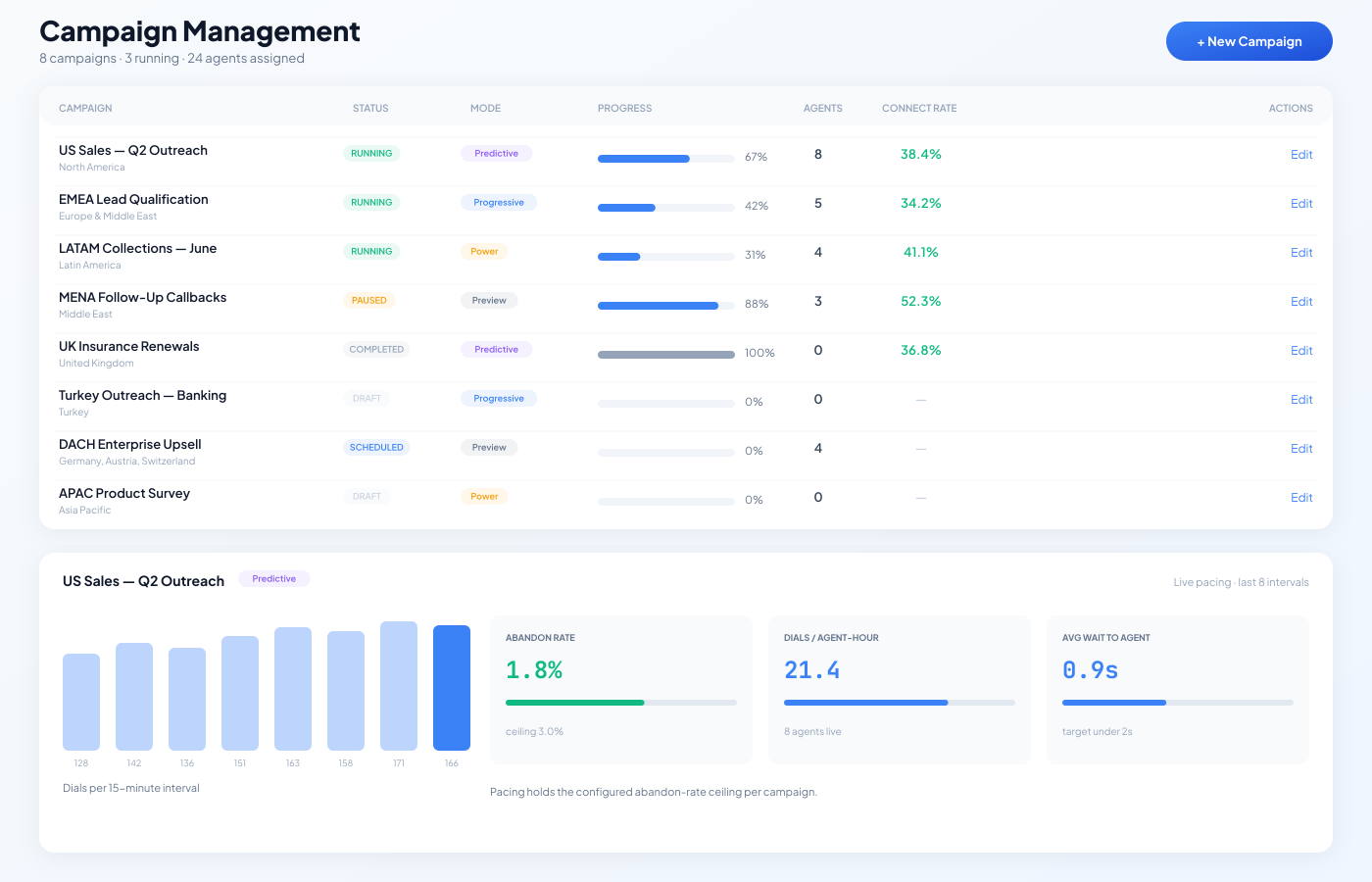
The DialerBee campaign view — monitor performance across your campaigns and numbers.
Quick answer
What is Caller-ID Pool Control? It is DialerBee's system for managing the outbound numbers (DIDs) you present. It includes named caller-ID pools, four selection modes — local presence (match the recipient's area code), round-robin, sequential and random — per-campaign mapping, bulk number upload, manual activation and deactivation, verified CLI ownership, and per-tenant isolation. Per-number call volume is visible in reporting. Spam-label behaviour is decided by carrier analytics and reputation providers, not by DialerBee, and varies by carrier, device and jurisdiction. Available in 11 languages.
The Problem
Burned numbers destroy your outbound ROI
Every outbound team has experienced this: answer rates that were strong last month suddenly collapse. Agents are dialing the same volume but reaching fewer people. The culprit is almost always degraded caller-ID reputation — numbers that have been over-dialed, flagged by carriers, or marked as potential spam by device-level screening algorithms.
The challenge is that caller-ID reputation is invisible in most dialer platforms. There is no dashboard showing which numbers are healthy and which are declining. There is no alert when a number's answer rate drops below a threshold. Operations teams discover the problem only when overall campaign metrics deteriorate, by which time multiple numbers may be compromised.
Without proactive management, teams burn through number pools faster than they should, waste agent time dialing on flagged numbers, and spend money on DID inventory that delivers diminishing returns. The solution is not more numbers — it is smarter management of the numbers you have.
How It Works
Continuous monitoring, automated protection
DialerBee groups your numbers into named caller-ID pools and picks one at dial time using the mode you choose — match the recipient's area code for local presence, round-robin, sequential, or random. Each pool is mapped to the campaigns allowed to use it, numbers can be bulk-uploaded, and per-number call volume is visible in reporting so you can spread traffic and retire a number yourself when you decide to. External spam-label and reputation monitoring is handled by your carrier or a reputation provider. Caller-ID pooling is one of the number-management controls built into DialerBee's telemarketing software.
Before you build a local-presence pool, check which area codes you actually need and their time zones with the free local presence lookup tool.
Pool
Group your numbers into named caller-ID pools, each mapped to the campaigns allowed to use it
Rotate
Configurable rotation rules (random, round-robin, or local presence) distribute call volume across your number pool, so no single number carries all the traffic.
Protect
Deactivate any number yourself the moment you decide to; traffic continues across the rest of the pool
Analyze
Carrier-level analytics show answer-rate breakdowns by carrier, region, and time of day. Identify patterns and optimize your number strategy with data.
Side-by-Side Comparison
Caller-ID Pool Control vs manual DID management
| Capability | Manual Management | DialerBee |
|---|---|---|
| Number management | Spreadsheet tracking or none | Named caller-ID pools with bulk upload |
| Usage visibility | Weeks after degradation starts | Per-number call volume visible in reporting |
| Number rotation | Manual reassignment | Automated rotation with configurable rules |
| Local presence | Separate tool or manual setup | Built-in area-code matching from DID pool |
| Usage limits | Honor system or manual tracking | Pool rotation spreads volume across numbers; no automatic usage limit |
| Warm-up | Dialing manually at low volume | Put a new number in a pool with rotation so its share starts small, and deactivate it if answer rates fall; no automated ramp schedule |
| Carrier analytics | Not available | Answer rates by carrier, region, time of day |
| Retirement planning | Gut feel | Data-driven recommendations based on trend analysis |
Spam-label behavior varies by carrier, device, and jurisdiction. DialerBee helps teams monitor and manage caller-ID strategy but cannot guarantee spam-label removal or specific answer rates.
Advanced Management
Automate your number strategy
DialerBee gives you operational control over your DID inventory. Group numbers into pools, choose how one is selected at dial time (random, round-robin, or local presence), verify ownership, and deactivate a number the moment you decide to. Used deliberately, that control extends the useful life of your inventory and reduces how often you have to replace numbers.
Deactivate Any Number
Take a number out of rotation yourself the moment you decide to. Traffic continues across the rest of the pool.
Activate or Deactivate Any Number
Turn a number on or off in its pool at any time, so you can bring a new DID in gradually by giving it a smaller share of rotation and deactivate it if it underperforms.
Pool Rotation
Distribute traffic across a pool using random, round-robin, or local-presence selection, so no single number carries all the volume.
CLI Verification
Verify caller-ID ownership and registration status. Ensure every number you present is properly authorized. Supports STIR/SHAKEN attestation where available.
Campaign-to-DID Assignment
Assign specific number pools to campaigns. Keep regulatory and brand separation across client programs. Per-tenant DID pools in multi-tenant deployments.
Retire on Your Terms
Review per-number call volume and answer-rate trends in reporting, then rest, replace, or retire a number by deactivating it yourself.
Use Cases
Caller-ID Pool Control for every team
BPOs
Per-tenant caller-ID pools with their own rotation rules and campaign mapping. Each client's number strategy is isolated and independently managed.
Collections
Spread payment-reminder traffic across a pool using rotation, and deactivate any number yourself the moment you decide to.
Sales Teams
Local presence matching with area-code-appropriate caller IDs. Combined with pool rotation, spread traffic to protect answer rates.
MENA Operations
Manage DID pools across Gulf, Levantine, and North African markets. Carrier-level analytics reveal performance differences across regional carriers.
Telecom Resellers
White-label DID management for your customers. Per-tenant caller-ID pools and rotation rules. Offer number management as a value-add.
Multi-Market Operations
Manage number pools across multiple countries from one dashboard. Country-specific rotation rules adapt to each market's carrier landscape.
Technical Specifications
Under the hood
| Selection modes | Local presence, round-robin, sequential or random — chosen per pool |
| Reporting updates | Per-number call volume updated after each campaign session |
| Local presence | Area-code matching from configurable DID pools |
| Rotation rules | Round-robin, weighted, or priority-based across number pools |
| Usage limits | No automatic per-number call limit; manage volume through pool rotation |
| Ramp control | Put a new number in a pool with rotation so its share of traffic starts small; no automated ramp schedule |
| Deactivation | Take any number out of rotation manually, at any time |
| CLI verification | Ownership and registration checks; STIR/SHAKEN attestation where available |
| Analytics | Answer rates by carrier, region, time of day, and campaign |
| Multi-tenant | Per-tenant caller-ID pools with isolated rotation and mapping |
| API access | Caller-ID pools and numbers managed via REST API |
| Retirement | Remove a number from its pool at any time for rest, replacement, or continued use |
What DialerBee does not control
- -- Carrier spam-labeling behavior varies by carrier, device, and jurisdiction
- -- Device-level call screening (iOS, Android) uses algorithms outside any dialer's control
- -- Third-party reputation databases may flag numbers based on signals DialerBee cannot access
- -- DialerBee helps monitor and manage caller-ID strategy but cannot guarantee spam-label removal
Related features
Bring Your Own Carrier
Connect any SIP trunk with multi-carrier routing and failover.
Compliance Autopilot
CLI ownership verification and default-deny pre-dial checks.
Analytics & Reporting
Carrier-level performance analytics and cost reports.
Multi-Tenant
Per-tenant DID pools with isolated management.
Frequently asked questions about Caller-ID Pool Control
How does DialerBee pick which number to present?
How does local presence dialing work?
Can DialerBee prevent numbers from getting flagged as spam?
How does number rotation protect my DIDs?
What carrier analytics are available?
How does DID warm-up work?
Can I manage DIDs separately for each tenant?
Does Caller-ID Pool Control support STIR/SHAKEN?
Where the numbers come from
You get the numbers you actually need
We do not publish a fixed inventory count, because it is the wrong question. What matters is whether you can get numbers in the areas you are dialling, in the volume your campaign needs, when you need them.
Provisioned on request
Tell us the countries and area codes a campaign needs and numbers are provisioned for it, rather than you working around whatever happens to be in stock.
Carrier and hub relationships
Twenty-two years in telecom means direct relationships with operators, hubs and wholesale voice partners across the regions we serve.
Or bring your own
Already hold numbers you want to present? Bring them. We verify you are entitled to use them, then they behave like any other number in a pool.
See caller-ID pools in action
Book a demo and see how DialerBee builds pools, picks a number at dial time, and keeps ownership verified.
14-day free trial · free AI credit · no card · see pricing