Integration
BroadNet CRM, native, not bolted on
Caller enrich straight from BroadNet CRM, a screen-pop panel inside the agent desktop, contact create from the call, dispositions pushed back to the customer record, and a webhook handler for CRM events as they happen.
14-day free trial · free AI credit to try the AI voice agent · no card needed
Quick answer
What you get
Everything in one workspace
Native enrich
DialerBee enriches the caller from BroadNet CRM natively. No middleware in between, and no field mapping exercise before the first call.
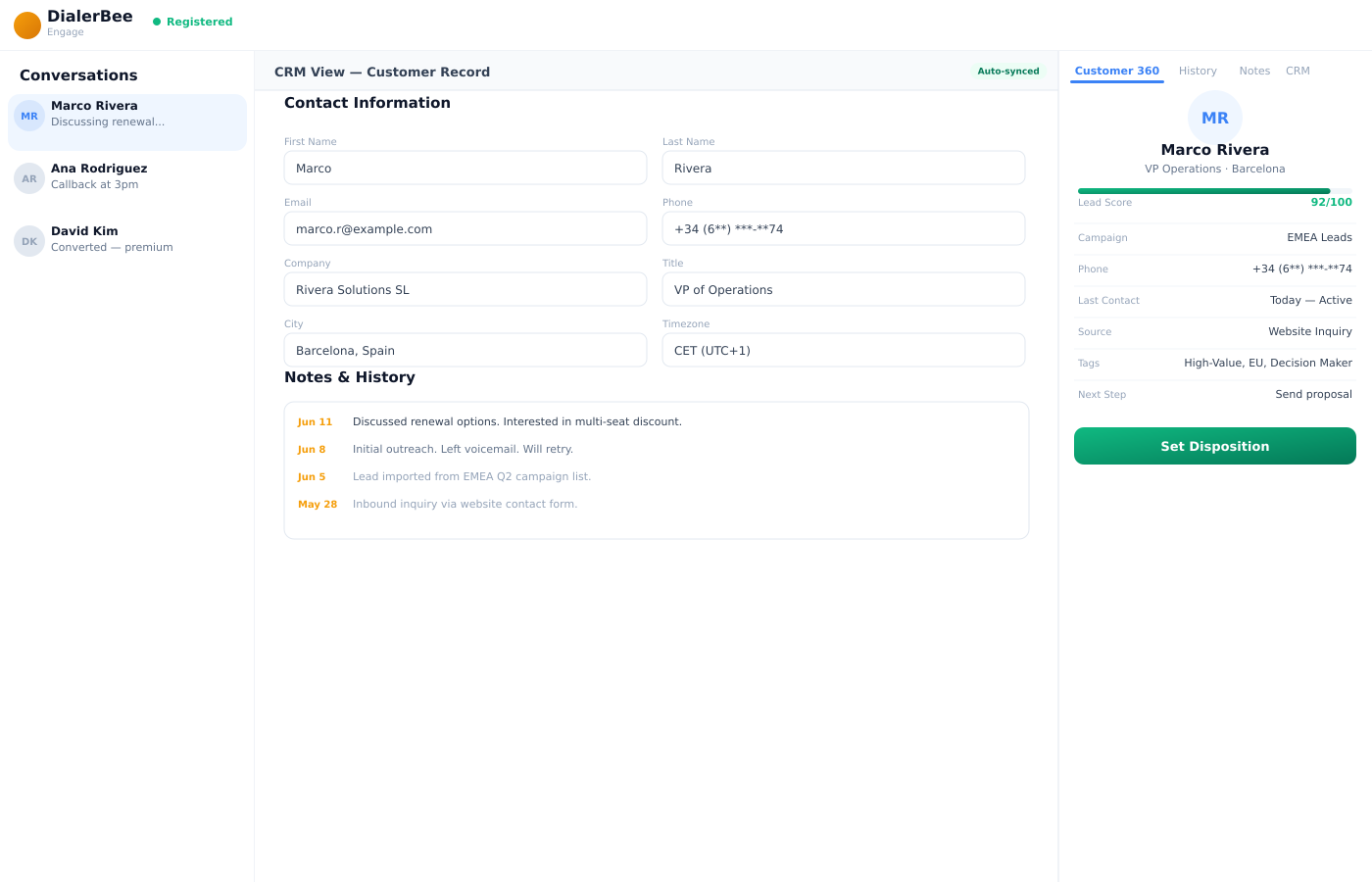
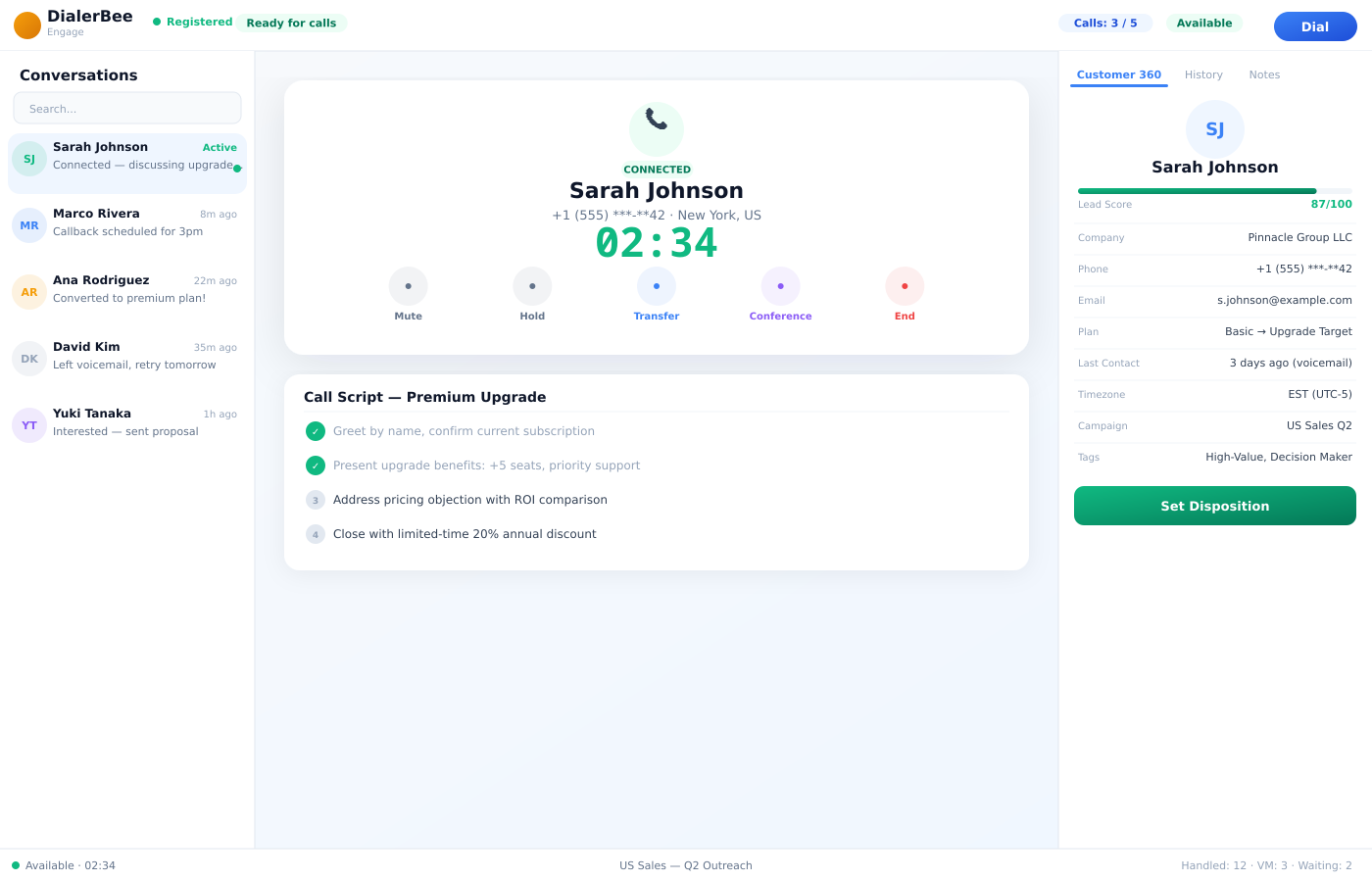
Screen-pop on inbound
The call arrives and the record arrives with it. The agent is reading the customer while the phone is still ringing, not after hello.
A panel in the agent desktop
The CRM lives as a panel in the agent desktop, beside the call controls, rather than in a second window the agent has to go and find.
Contact create
An unknown number becomes a contact from the desktop, so the second call already knows who is calling.
Disposition push
The disposition the agent sets is pushed to BroadNet CRM, so the outcome sits on the customer record rather than only in a call report.
Add to CRM from the disposition popup
The add-to-CRM action sits inside the disposition popup, at the one moment the agent is already typing what happened.
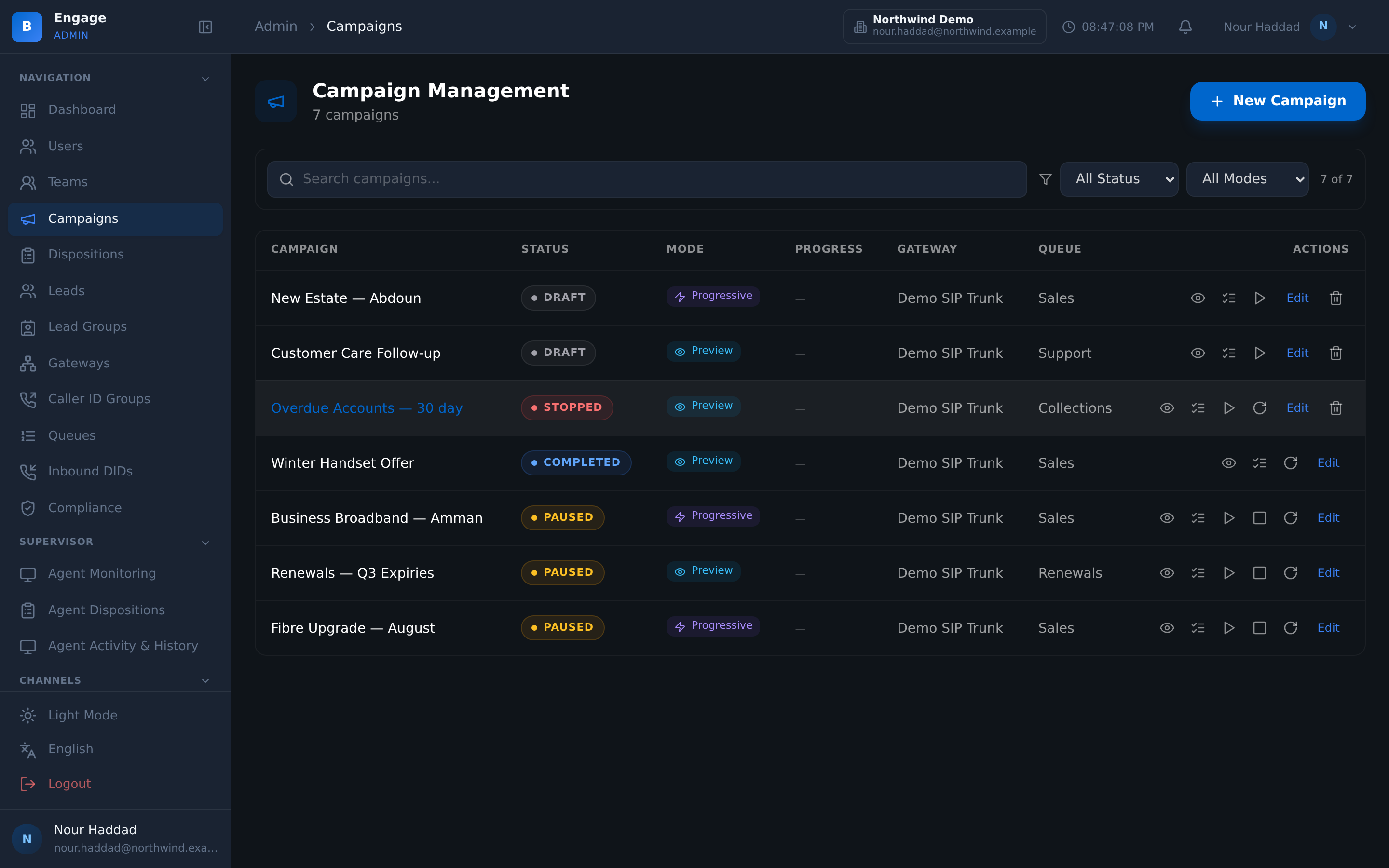
Webhook handler
A webhook handler takes events from BroadNet CRM as they happen, so changes on the CRM side do not wait for someone to refresh a page.
Customer 360 by phone number
Profile, history, notes and the CRM tab, all keyed on the phone number that is calling, in one panel.
Tenant webform iframe
Your own webform can be embedded in the desktop as an iframe, for the data collection the CRM record does not cover.
Tenant-scoped
The connection is scoped to the tenant, so one tenant's records never surface in another tenant's desktop.
Before hello
The record arrives with the call
On an inbound call, DialerBee looks the number up in BroadNet CRM and pops the record into the agent desktop as the call is presented. The agent starts the conversation knowing who this is and what happened last time.
Because the enrich is native, there is nothing to configure before it works. The panel sits beside the call controls in the same window, so nobody alt-tabs into a second application while a customer is talking.
- Native enrich from BroadNet CRM, no middleware in between
- Screen-pop on inbound, presented with the call
- The CRM as a panel in the agent desktop, not a second window
- Customer 360 by phone number: profile, history, notes and a CRM tab
After the call
The outcome goes back, where the customer lives
When the agent sets a disposition, that disposition is pushed to BroadNet CRM. The outcome ends up on the customer record, not only inside a call report that somebody has to go and read.
The same popup carries an add-to-CRM action, so an unknown number becomes a contact at the moment the agent is already writing down what happened. That is the only moment it reliably gets done.
- Disposition pushed to the customer record in BroadNet CRM
- Add to CRM directly from the disposition popup
- Contact create from the desktop for a number nobody has met before
- A tenant webform can be embedded as an iframe for anything else you collect
Both directions
A webhook handler, so changes do not wait
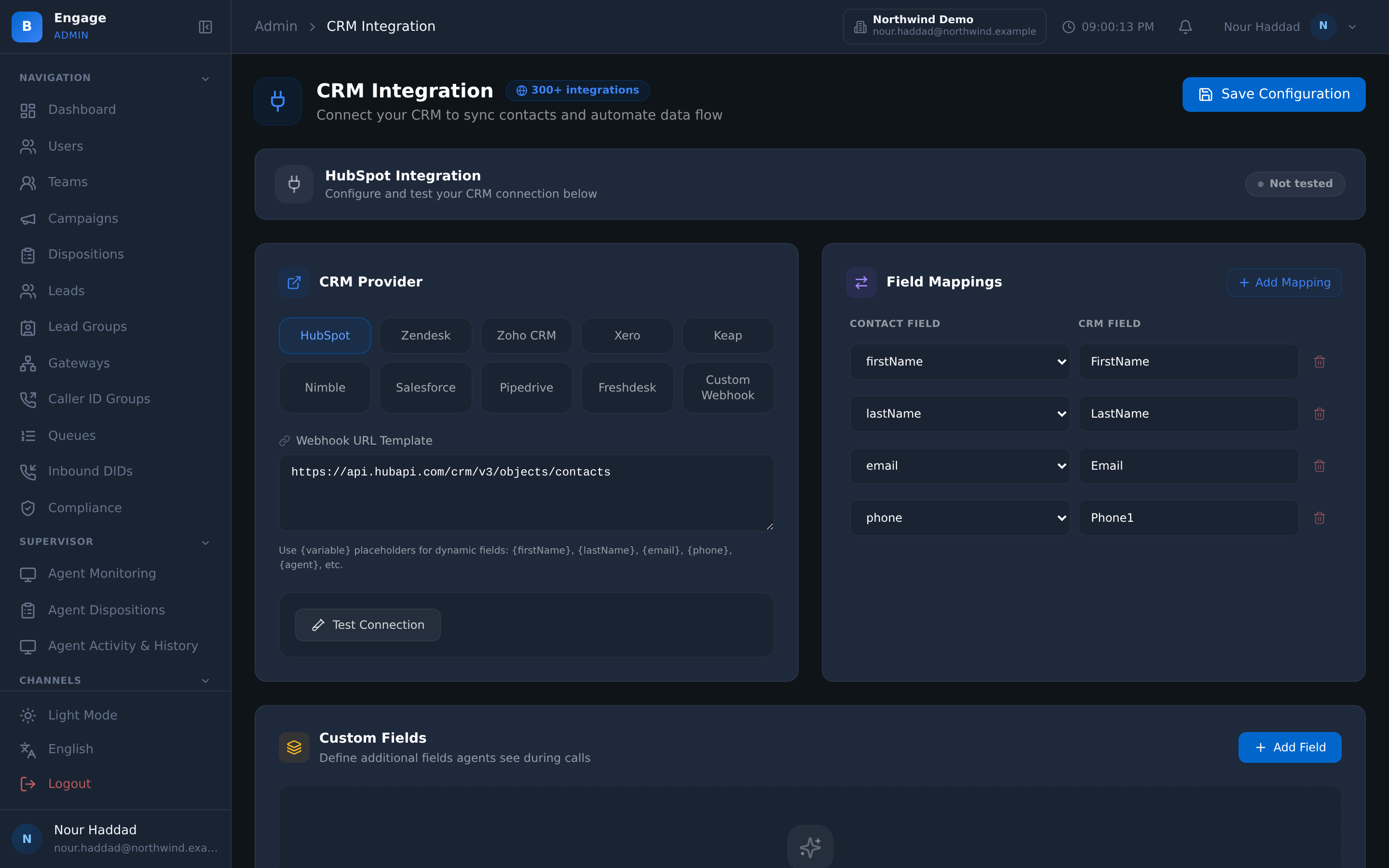
Enrich and disposition push cover the call. The webhook handler covers everything that happens between calls, taking events from BroadNet CRM as they occur.
The point is that neither side has to be refreshed by a person. What changed in the CRM is reflected in the desktop, and what the agent did on the call is reflected in the CRM, without an overnight job in the middle.
- Webhook handler for BroadNet CRM events
- No batch export, no overnight reconciliation
- The connection is scoped to the tenant
- Every interaction still lands in the platform's own reports and recordings
Frequently asked questions
What is the BroadNet CRM integration in DialerBee?+
It is a native connection between DialerBee and BroadNet CRM. DialerBee enriches the caller from the CRM, pops the record into the agent desktop, creates contacts, pushes dispositions back to the customer record, and takes CRM events through a webhook handler.
How is this different from the other CRM integrations?+
The other CRM connections are built on the CRM's own REST API, webhooks and iframe embedding, and are scoped with you during onboarding. BroadNet CRM is native, because it is BroadNet's own product, so the enrich, contact create and disposition push work without a mapping exercise first.
What does the agent actually see?+
A CRM panel inside the agent desktop, beside the call controls. On an inbound call the record is popped as the call is presented, and the Customer 360 view is keyed on the phone number: profile, history, notes and a CRM tab.
How does a new number become a contact?+
The agent creates the contact from the desktop, and the add-to-CRM action also sits inside the disposition popup at the end of a call. Doing it there is what makes it happen, because the agent is already recording what the call was about.
Do dispositions reach the customer record?+
Yes. The disposition set by the agent is pushed to BroadNet CRM, so the outcome sits on the customer record rather than living only in call reporting.
Can changes in the CRM reach DialerBee?+
A webhook handler receives BroadNet CRM events as they happen, so the desktop reflects CRM-side changes without a batch export or an overnight reconciliation job.
Can we still show our own forms to the agent?+
Yes. A tenant webform can be embedded in the agent desktop as an iframe, which covers the data collection your CRM record does not.
Is customer data kept apart between tenants?+
The connection is tenant-scoped, so one tenant's records do not surface in another tenant's desktop. That is the same isolation model the rest of the platform uses.
See a call pop a BroadNet CRM record on a demo tenant
A 30-minute walkthrough on a demo tenant, in English or Arabic.